New 3D and 2D Transport Icons for Animated Travel Maps
Mult.dev now features 80 new transport models — from 3D rendered planes and sports cars to clean 2D icons for every vehicle you can think of.
Zall
|March 6, 2026
|8 min read
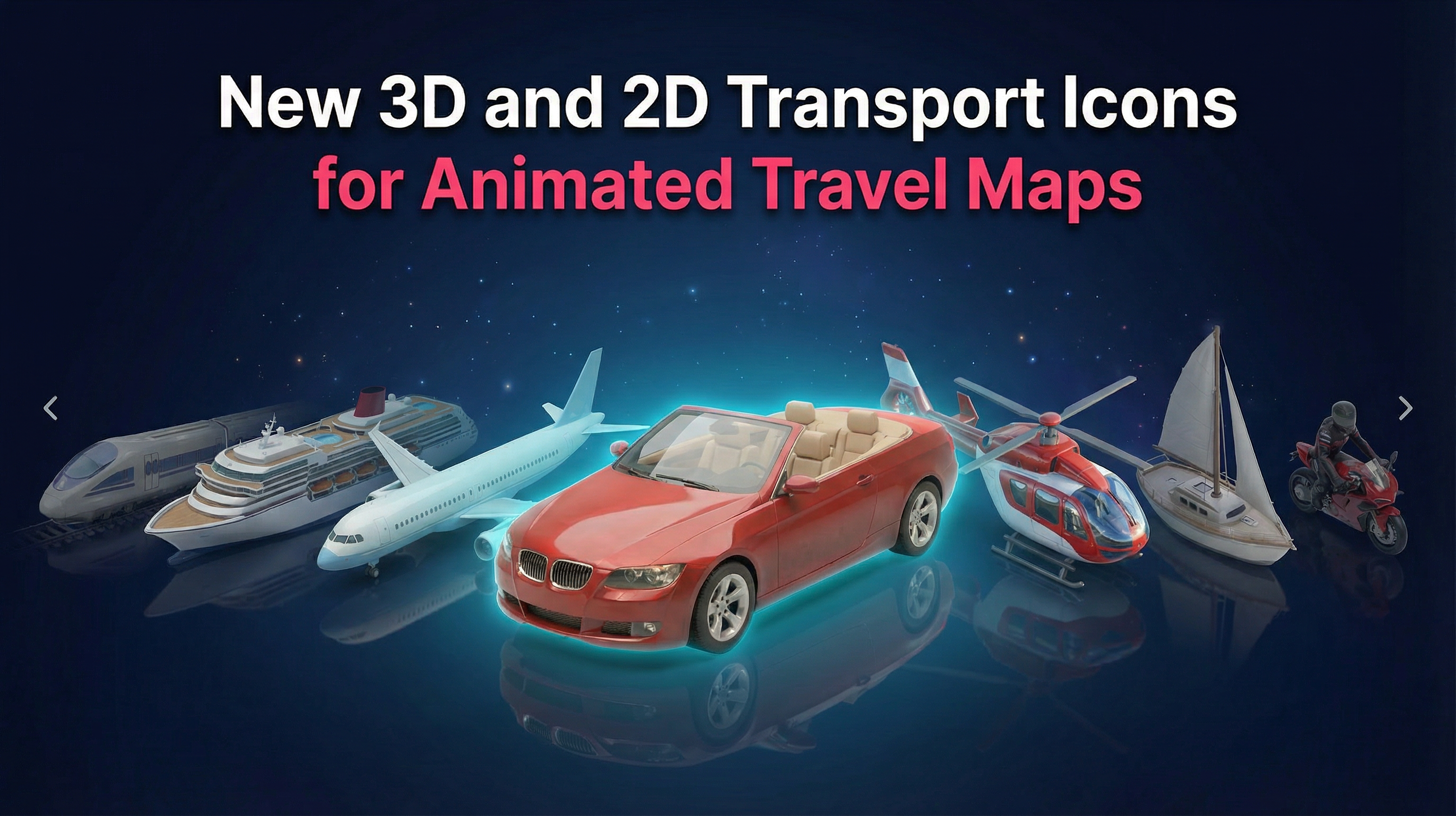
Mult.dev now features over 70 new transport models — from 3D rendered planes and sports cars to clean 2D icons for every vehicle you can think of.
Key Takeaways
- 40 new 3D transport models with transparent backgrounds — planes, cars, buses, trains, boats, and more
- 40 new 2D flat icons in a clean, minimal style covering the same categories
- All air transports are free for every user (airplane, helicopter, private jet, propeller plane, hot air balloon, double-deck airplane)
- Smart routing via Google Maps — cars follow roads, trains follow tracks, buses follow transit routes
- Classic icons remain available — nothing was removed
- Land and sea transport models are available with in Pro packages
What Changed: A Complete Transport Icon Overhaul
If you have been using Mult.dev to create animated travel map videos, you know the drill. You pick your destinations, choose a transport type, and the app generates a smooth route animation. Simple.
But until now, you had only 18 transport icons to choose from. They worked, but the selection was limited. Want a pickup truck instead of a generic car? A cable car instead of a regular train? A gondola instead of a motorboat? You were out of luck.
That changes today. We just shipped a major update that triples the number of available transport types and introduces two entirely new icon styles: 3D rendered models and 2D flat icons.
40 New 3D Transport Models
The biggest addition in this update is a full set of 3D rendered transport models. These are not simple flat images — they are detailed 3D renders with transparent backgrounds that look polished on any map style, whether you are using a satellite view, a minimal light theme, or a dark-mode map.
Here is what is available in 3D:
Air
Airplane, private jet, propeller plane, double-deck airplane, helicopter, and hot air balloon. Whether you are animating a transatlantic flight or a scenic balloon ride, there is a model for it.
Cars and Road Vehicles
Sedan, cabrio, hatchback, SUV, sport car, pickup truck, motorbike, electric scooter, rickshaw, delivery van, van, truck, and motorhome. From a road trip across Route 66 in a convertible to a European delivery route in a van — pick the vehicle that matches your story.
Buses and Transit
City bus, double-decker bus, tourist bus, sleeper bus, and subway. Perfect for animating public transit routes, hop-on-hop-off tours, or overnight bus journeys across Southeast Asia.
Trains
Train, bullet train, tram, and cable car. Whether it is the Shinkansen in Japan or a Swiss mountain cable car, you have got the right model.
Boats and Sea Vessels
Sailboat, motorboat, yacht, cruise liner, ferry, gondola, and Asian boat. From a Mediterranean yacht trip to a Venetian gondola ride or a Thai longtail boat excursion.
Pedestrian and Hike
Bicycle, horse, and tourist (walking). Great for hiking trail animations, bike touring videos, or horseback riding adventures.
40 New 2D Flat Icons
Not every project needs a detailed 3D render. Sometimes a clean, minimal icon works better — especially for infographic-style videos, presentations, or maps with a lighter visual tone.
That is why we also added 40 flat 2D transport icons covering the same categories as the 3D models. Same variety, different style. You get all the same vehicle types — from airplanes and helicopters down to gondolas and rickshaws — in a simple, flat design.
The 2D icons are ideal when you want the transport to complement the map rather than dominate it. They work particularly well on minimal map styles and in videos where the route itself is the star.
Classic Icons Are Still Here
Already have videos using the original transport icons? No worries. All 18 classic icons remain exactly where they were. Nothing was removed. You will find them under the "Classic" tab in the transport selector.
Your existing animations will continue to look the same. The new 3D and 2D options are additions, not replacements.
Air Routes Are Free for Everyone
Here is something we are particularly happy about: all air transport models are completely free in both 2D and 3D. That includes:
- Airplane
- Private jet
- Propeller plane
- Double-deck airplane
- Helicopter
- Hot air balloon
If you are on the free plan and creating flight route animations, you now have six detailed transport options to choose from at no cost. No trial, no watermark limitations on the transport icon itself — just pick one and go.
Land and sea transport models (cars, buses, trains, boats, and everything else) are available with a Pro subscription.
Smart Routing: Every Vehicle Follows the Right Path
A car should not fly in a straight line between two cities. A train should not drive down a highway. This sounds obvious, but getting it right matters.
Mult.dev uses Google Maps routing to generate accurate paths for each transport type. When you select a vehicle, the route is calculated based on how that vehicle actually travels in the real world:
| Transport Type | Routing Method | What It Means |
|---|---|---|
| Cars, vans, trucks, motorbikes | Road routing | Follows actual highways and streets |
| Buses | Transit routing | Uses real public transit routes and stops |
| Trains, trams, subway | Rail routing | Follows actual railway and metro lines |
| Boats, ferries, yachts | Sea routing | Follows navigable maritime routes |
| Bicycles, walking, horse | Cycling/pedestrian paths | Uses bike lanes and walkable paths |
| Airplanes, helicopters | Great circle arc | Curved flight path between points |
This means your animated route map is not just visually accurate — it is geographically accurate. A road trip animation shows the actual road. A train journey follows the real tracks. A boat trip traces a real sea route.
How to Use the New Transport Icons
Using the new icons is straightforward. Here is how:
- Open Mult.dev and create a new animation or edit an existing one
- Add your destinations — type in the cities or places you visited
- Click the transport icon next to any route segment
- Choose your tab — 3D, 2D, or Classic
- Pick your vehicle from the grid
- Done — the route recalculates automatically based on the vehicle type
The transport selector now uses a visual grid layout instead of a dropdown, so you can see all available options at a glance.
Missing a Transport Type? Tell Us
We tried to cover every major transport type we could think of. But travel is wonderfully diverse, and there might be a vehicle or transport mode that is missing from our list.
A tuk-tuk? A snowmobile? A camel? If you think a specific transport type would improve your animations, reach out to us through the feedback form. We would love to hear your suggestions and will gladly add new models based on user feedback.
What Is Coming Next
This transport icon update is just the beginning. We have more features in development that we are excited to share soon. Stay tuned for updates — follow us on Instagram, TikTok, or join our Telegram community to be the first to know.
Frequently Asked Questions
How many transport icons does Mult.dev have now?
Mult.dev now offers over 90 transport options across three styles: 35 detailed 3D models, 38 clean 2D flat icons, and 18 classic icons. Each style covers air, road, transit, rail, sea, and pedestrian categories.
Are the 3D transport icons free?
All air transport icons — airplane, private jet, propeller plane, double-deck airplane, helicopter, and hot air balloon — are free for all users in both 3D and 2D. Land and sea transport models require a Pro subscription.
Do the transport icons affect the route on the map?
Yes. Each transport type is linked to a specific routing method. When you select a car, the route follows real roads. When you select a train, it follows railway tracks. Boats follow sea routes. This routing is powered by Google Maps for geographic accuracy.
Can I use different transport types on different legs of the same trip?
Absolutely. You can assign a different transport icon to each segment of your journey. For example, fly from New York to London, take a train from London to Paris, then drive from Paris to the French Riviera — each segment with its own vehicle and routing.
Will my existing animations break with this update?
No. All classic icons remain available and unchanged. Existing animations will look exactly the same. The new 3D and 2D icons are additions to the existing set.
Can I request a new transport type?
Yes. If you need a specific vehicle or transport mode that is not currently available, reach out through the feedback form. We actively add new models based on user requests.
Try the new transport icons today at mult.dev — air routes are free for everyone.
Updated on March 6, 2026