How to Import a Route from Google Maps into mult.dev and Create a Travel Animation
Learn how to quickly import a route from Google Maps into mult.dev and create an animated travel video — no GPX files or extra steps needed.
Mult.dev Team
|August 8, 2025
|2 min read
With mult.dev, you can now easily import your route directly from Google Maps — no GPX files or manual steps needed. All you need is a link.
🔧 Step-by-step: How to add a Google Maps route in mult.dev
-
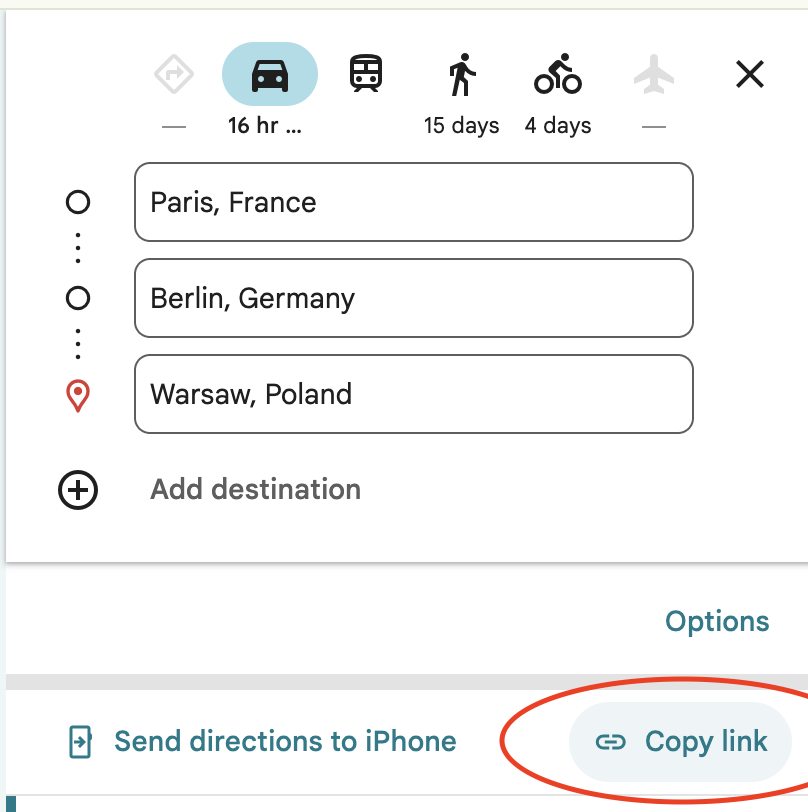
First prepare your route in Google Maps. You can use a browser version or Google Apps mobile app. When you ready click to share the route and copy the url.
-
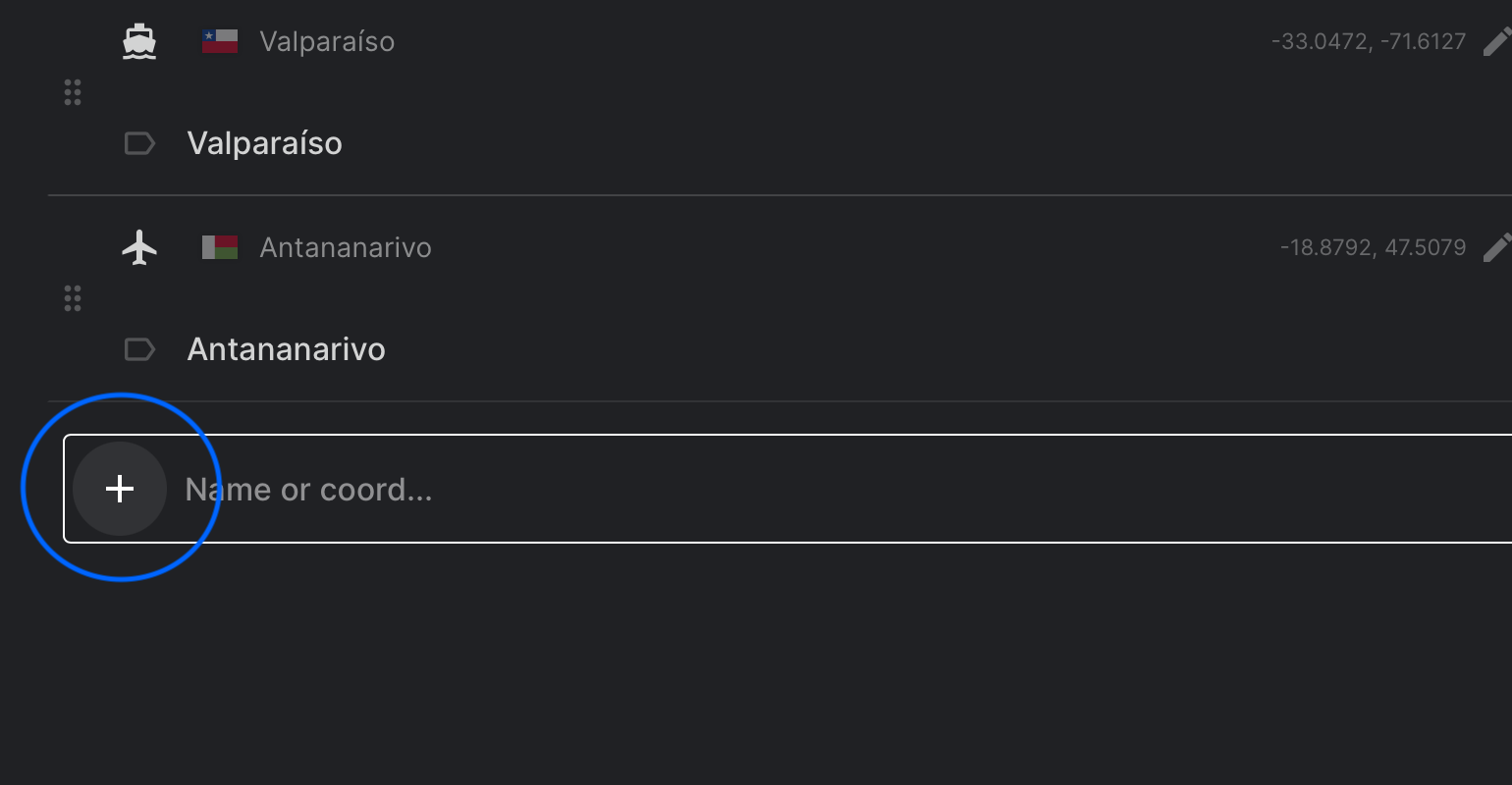
In Mult.de app tap the plus ➕ at the bottom of the screen to add a new point
-
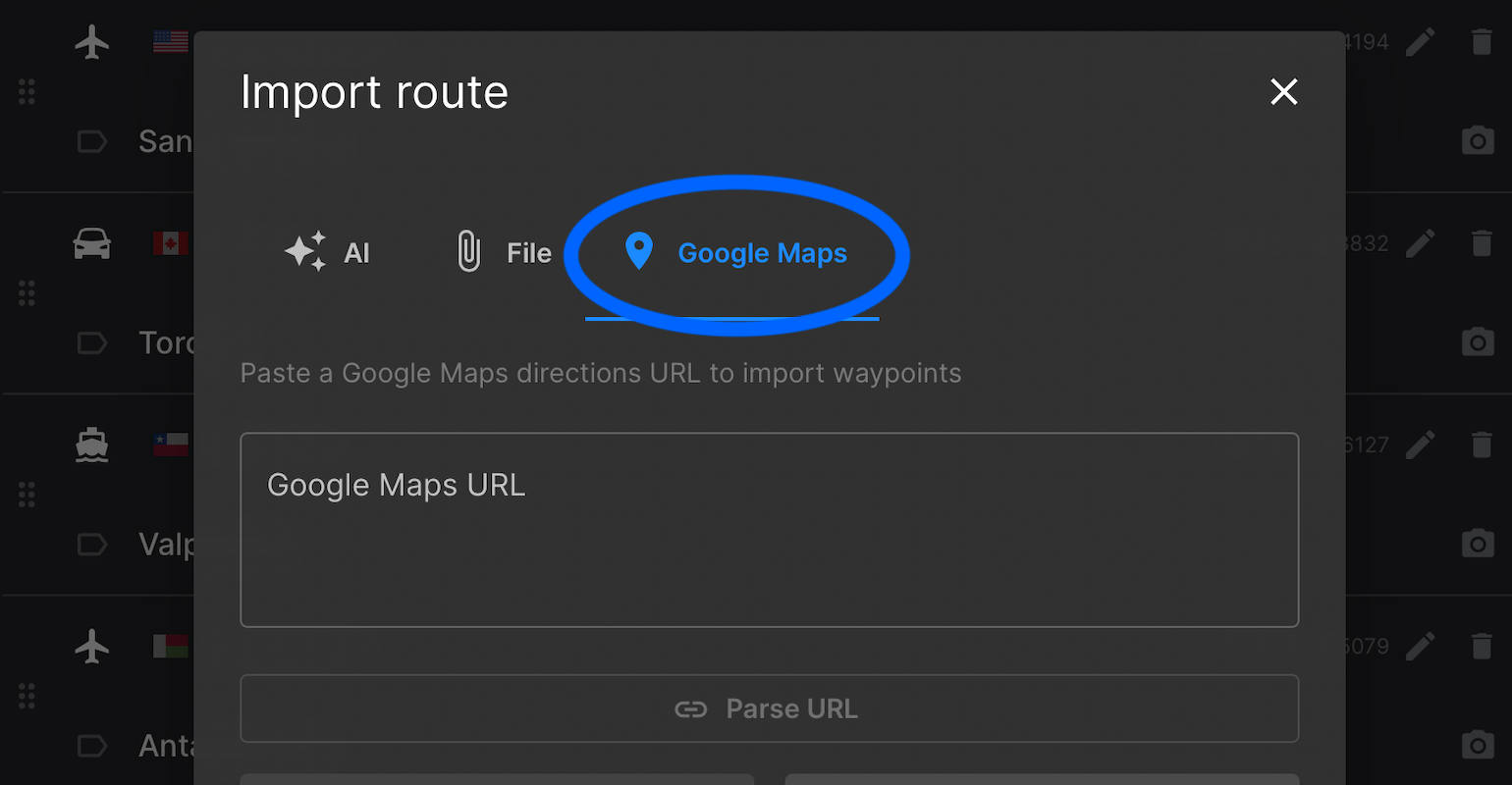
Select the Google Maps tab
-
Copy the route link (Google Maps → Share → Copy link)
-
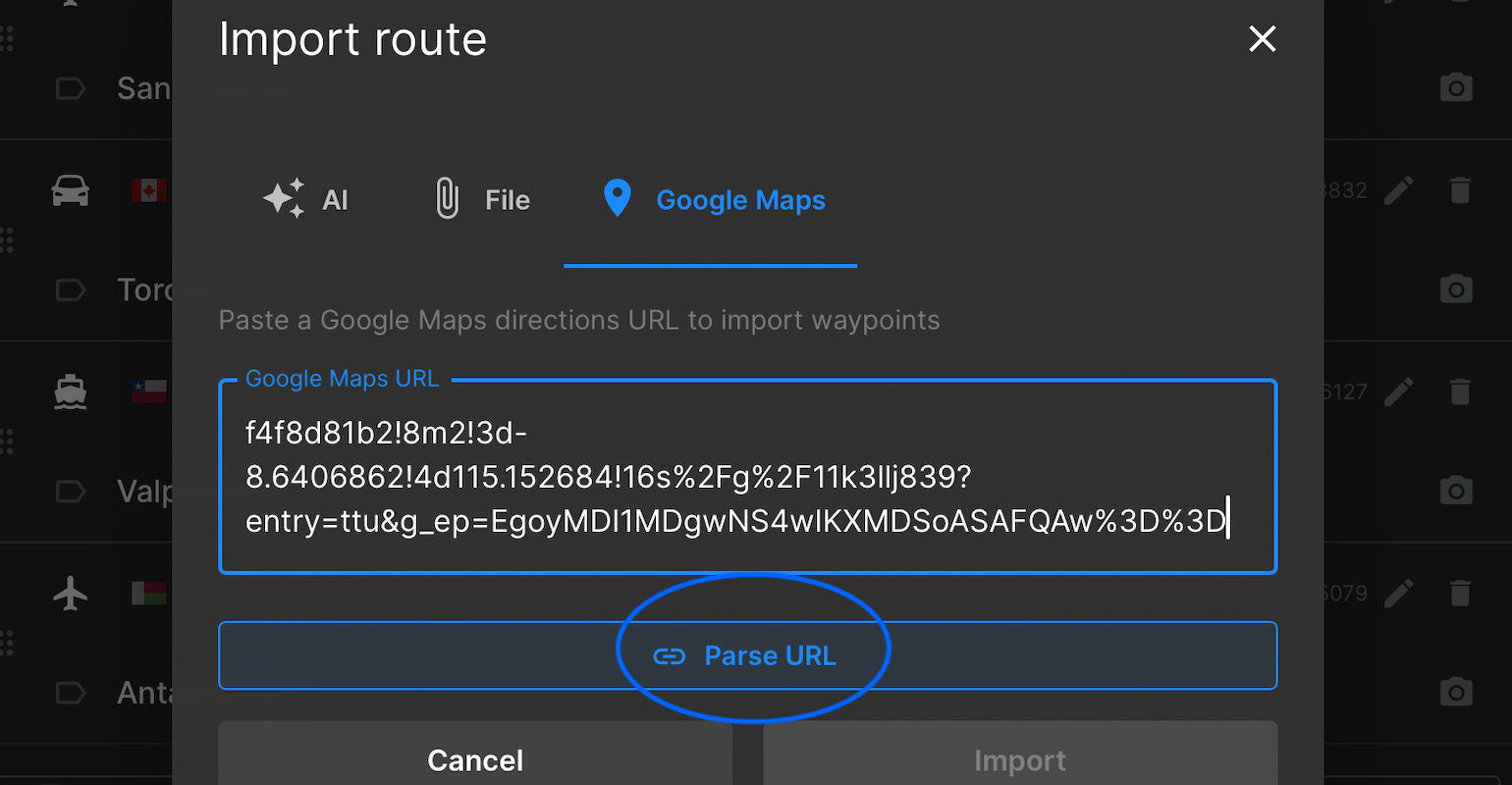
Paste it into the field and click Parse URL
-
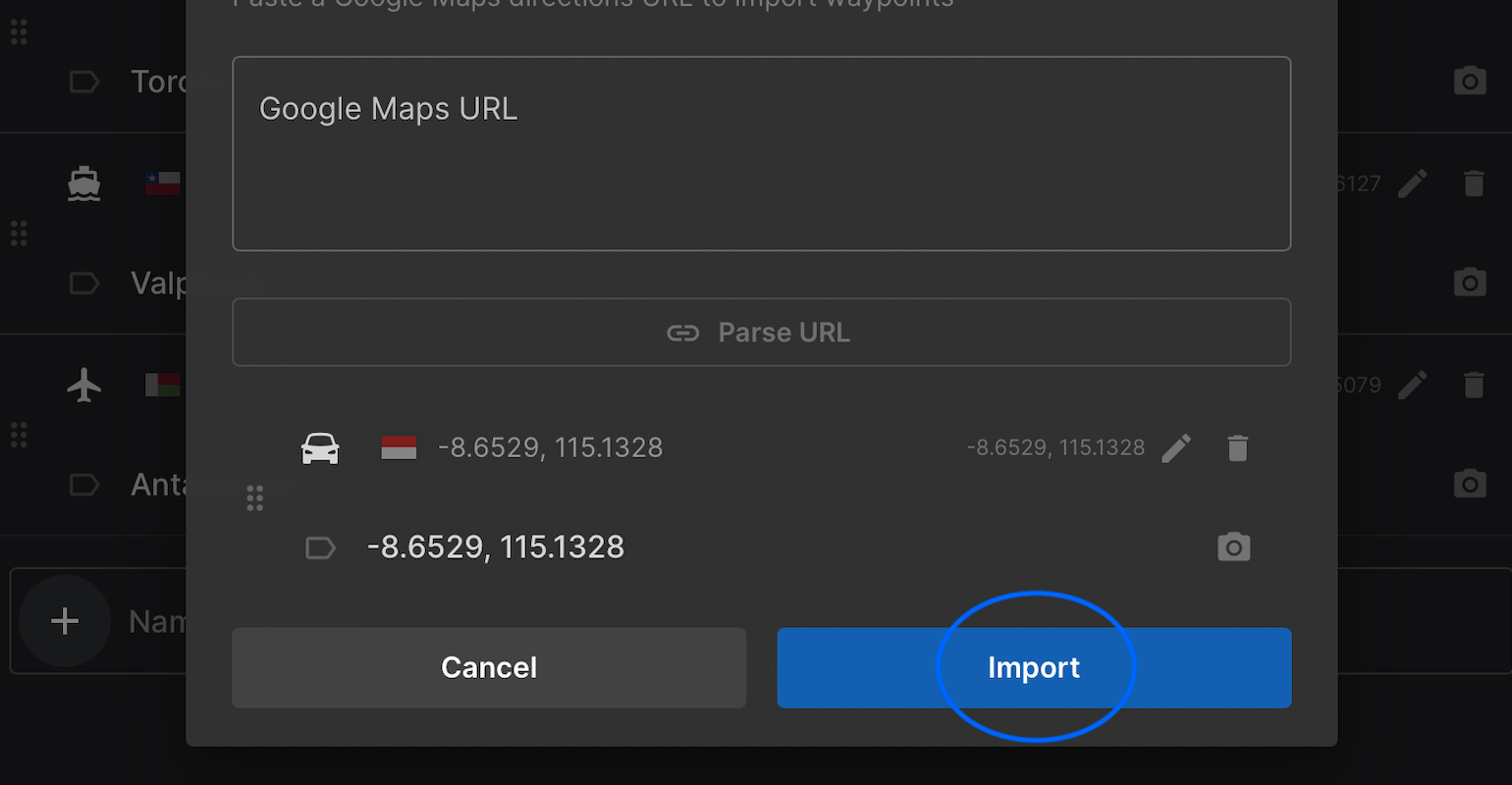
Once the point appears, click Import
-
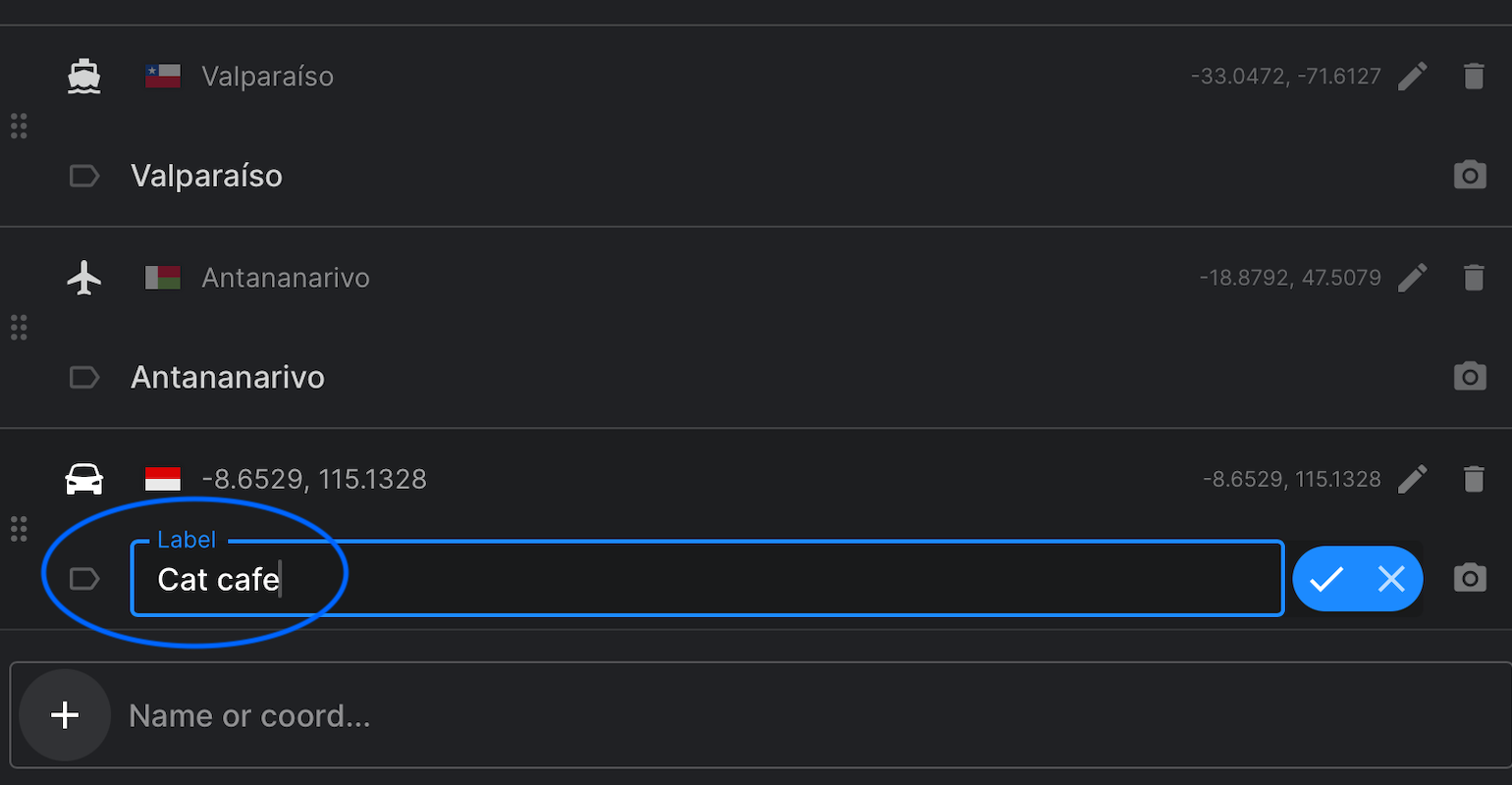
Customize your route:
- Choose the transport type (car, plane, walking, etc.)
- Rename each location (double-click on the label)
-
Preview and export your video!
Start creating your animated travel video now 👉 mult.dev
📌 You might also like:
- How to Use GPS Tracking Data from Your Device in mult.dev — if your route isn't from Google Maps, you can upload it from a GPS device or app.
- What Types of Routes Does mult.dev Support? — find out if your route type is supported: car, walking, flights and more.
Published on August 8, 2025
Last updated on October 25, 2025